Room-photo review
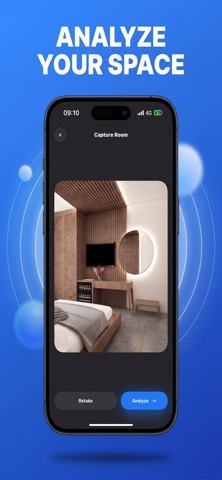
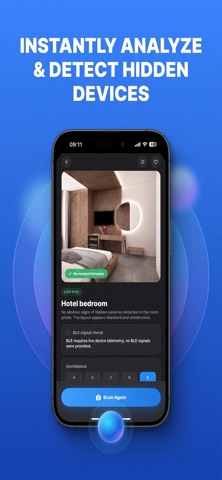
Capture or upload a room photo for automated visual analysis of possible areas to review.
 Hidden CameraApp Store
 Room review, without false certainty
AI Hidden Camera Dedect | Safe offers room-photo analysis and nearby Bluetooth Low Energy scanning. Use its indicators to guide questions, not to certify privacy or accuse someone of recording.
Some features may require an in-app purchase or subscription. Check the App Store for current availability and pricing.
Inside the app
Capture or upload a room photo for automated visual analysis of possible areas to review.
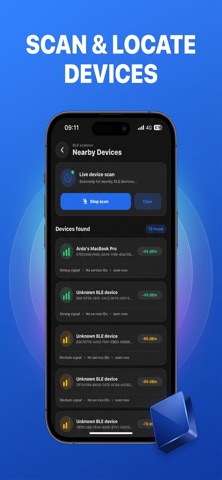
See discoverable Bluetooth Low Energy devices and their reported signal strength.
Use the app’s indicators as prompts for further checking, never as proof of surveillance or safety.
Hidden Camera
Look at accessible areas and note specific questions before interpreting a scan.
Consider ordinary explanations and keep visual observations separate from radio readings.
Move somewhere comfortable and contact responsible staff, platform support, or authorities as appropriate.
Hidden Camera
Use a short observation routine without mistaking uncertainty for proof of a hidden camera.
Read the guideUnderstand what device names and signal strength can and cannot tell you about a room.
Read the guideMake visual questions easier to assess while avoiding unnecessary personal information in images.
Read the guideOrganize observations, preserve context, and ask for help without treating an app result as proof.
Read the guideNo scan certifies that a room is camera-free, private, or secure. BLE names, signal strength, and photo indicators cannot establish spying, exact location, or device identity. Do not dismantle fixtures or disable safety equipment. Some features may require payment.
Room review, without false certainty